fbpx

Virtual Office for NDIS Providers: How to Pass Google’s Video Verification Without Using Your Home Address

If you’re an NDIS provider or mobile service-based business, you can use a virtual office at Salt Space in New Farm to keep your home address private, receive mail and show Google exactly what it needs in the video verification process.

Why NDIS providers don’t want to use their home address

If you run an NDIS business, you probably visit participants in their homes, in the community or online, and work from home between visits. But your business still needs:

  • An address on invoices and service agreements
  • An address for ASIC/ABN and compliance records
  • A reliable place to receive mail from the ATO, banks, insurers and the NDIS Commission
  • A way to appear when people search for you on Google or ask AI tools for local NDIS providers

Using your private home address for all of that can feel uncomfortable – especially if you have children at home, you’re renting, or you simply don’t want participants, support workers or referrers knowing where you live.

A virtual office in New Farm solves this by giving your NDIS business a professional, central Brisbane street address, while you keep working flexibly across homes, community and telehealth.

What a virtual office at Salt Space actually includes

A virtual office membership at Salt Space is designed for service-based and mobile businesses, including NDIS providers, allied health professionals and support coordinators. Typically, it includes:

  • A professional Brisbane street address you can use for:
    • ASIC and ABN registrations
    • Invoices and service agreements
    • Banks, insurers and the ATO
    • Website contact details
  • Mail handling:
    • Mail receiving and secure storage at Salt Space
    • Email notifications when mail arrives
    • Optional scanning and forwarding add-ons (depending on your plan)
  • Optional meeting room and office access:
    • Neutral space for support coordination meetings
    • Clinical assessments, plan reviews or family meetings
    • Staff supervision, interviews or team catch-ups

For NDIS providers, this means you can separate your home identity from your business identity and still have a reliable base address in Brisbane for mail, compliance and professional visibility.

What Google’s video verification asks you to show

When you set up or re-verify your Google Business Profile, Google may now ask you to complete a live or recorded video verification.

In most cases, Google wants the video to clearly show:
  • The exterior of the building (888 Brunswick St or relevant entrance)
  • The Salt Space entry and signage so it matches the address on your profile
  • The internal coworking or meeting space you use for your business
  • The mailbox or mail area and, ideally, an envelope addressed to your business name
  • Your laptop or device showing you logged into your NDIS tools or website backend
  • How you access the space (key, fob, pin code, buzzer – if applicable)

How to prepare your Google video verification at Salt Space

Think of the video as walking a Google reviewer through your working day at Salt Space. Here’s how to get ready so the process is smooth and stress-free.

1. Prep the exterior shots

  • Go to the front of the building at 888 Brunswick St (or your entry point to Salt Space).
  • Make sure the street number, neighbouring shops and surroundings are visible if possible.
  • Be ready to slowly pan the camera across the street frontage.

2. Show the Salt Space entrance and signage

  • Walk towards the Salt Space entry while recording.
  • Pause briefly to focus on any “Salt Space” signage or directory listing.
  • If there’s an intercom, buzzer or access point, include it in the video.

3. Demonstrate that you can access the space

  • Film yourself entering using your key, fob or code (if relevant).
  • If staff let you in, you can show the entrance door open as you walk through.
  • The goal is to show you are allowed to be there and not just filming from the street.

4. Show your actual working area inside Salt Space

  • Walk through to the coworking space, meeting room or desk that you use for your business.
  • Do a slow pan of the space to show it’s a real, functioning work environment.
  • If you usually meet participants or support coordinators in a meeting room, include that too.

5. Show the mail area and proof of mail for your business

  • Film the area where mail is stored or distributed at Salt Space.
  • If you have any mail already addressed to your NDIS business name, hold it up clearly to the camera.
  • This helps Google connect your business name and the Salt Space address together.

6. Show your laptop or device logged into your business tools

  • Sit at a desk or meeting table inside Salt Space.
  • Open your laptop and show:
    • Your NDIS case management or CRM system (with no personal data visible), or
    • Your website backend, email inbox or booking system logged in as your business.
  • The aim is to prove you actively operate your NDIS business from this location.

Step-by-step: Setting up a virtual office and Google presence as an NDIS provider

Here’s a practical, high-level checklist you can skim now and revisit on verification day. Each step is in its own bordered box so it’s easy to scan.

Step 1.Choose your virtual office plan

Start by selecting the virtual office option at Salt Space that suits your NDIS business.

  • Confirm you’ll have a real Brisbane street address (not just a PO Box).
  • Decide if you want mail scanning, forwarding or just local pickup.
  • Note the exact address format you should use on ASIC/ABN, your website and invoices.

Step 2.Update your official records

Once your virtual office address is active, update it anywhere your NDIS business is formally recorded.

  • ASIC and ABN details (if you want this as your registered office).
  • ATO, accountant and bookkeeper records.
  • Banks and merchant/eftpos providers.
  • Insurers and professional bodies.
  • NDIS registration or Quality & Safeguards Commission details where relevant.

Step 3.Update your public-facing details

Next, bring your website, documents and communications into line with your new virtual office address.

  • Add the address to your website footer and Contact page.
  • Update invoices, quotes and service agreements.
  • Add a line to your email signature such as “Business mailing address (by appointment only)”.
  • Make clear that meetings at Salt Space are scheduled in advance.

Step 4.Set up Google Business Profile and prepare for video

Now configure your Google presence and get ready for the video verification using your Salt Space virtual office .

  • Create or claim your Google Business Profile for your NDIS business.
  • Enter your business name, phone, website and address at Salt Space.
  • Choose whether you also want to show a service area for home visits.
  • When Google requests video verification:
    • Film the building exterior and Salt Space entrance.
    • Show yourself entering (key, fob, code or staff letting you in).
    • Show the internal workspace and, if possible, your meeting room.
    • Show mail addressed to your business at the Salt Space address.
    • Show your laptop logged into your NDIS tools or website backend.

Step 5.Build trust with photos, content and reviews

Finally, make your Google Business Profile and website more helpful for participants, support coordinators and AI search tools.

  • Add photos of yourself (and your team, if you have one).
  • Include neutral photos of the Salt Space environment or meeting room — not of clients.
  • Explain clearly on your website how you support choice & control, consent and safety.
  • Invite satisfied participants (and families, with consent) to leave honest Google reviews.
  • Keep your service descriptions simple so both humans and AI can understand what you do.

Why a virtual office is especially helpful for NDIS businesses

For NDIS providers and disability support organisations, a virtual office isn’t just about looking more “corporate” – it’s about safety, boundaries and scalability.

  • Safety & privacy: Keep your personal home address off invoices, Google and online directories, which is especially important if you work with complex behaviours or family conflict.
  • Clear boundaries: Separate your role as an NDIS provider from your life as a parent, partner or housemate by giving your business its own address.
  • Compliance & professionalism: A formal street address for ASIC, ATO, insurers and banks helps you present as an established, organised provider.
  • Room to grow: If you later bring on support workers, therapists or admin staff, your virtual office is already in place as a central hub.
  • Flexible service delivery: Continue home visits and community access support while having access to a neutral, central location when you need it – and the ability to show that location to Google in your verification video.

FAQs about virtual offices, NDIS providers and Google video verification

Can I use a virtual office address instead of my home address for my NDIS business?

Yes. Many NDIS providers choose a virtual office address at Salt Space instead of using their home address. You can use it on invoices, service agreements, ASIC/ABN records, with banks and insurers, and as your general business mailing address.

What exactly should I show in my Google video verification?

For a Salt Space virtual office, it’s helpful to show:

  • The exterior of the building at 888 Brunswick St or your main entry point.
  • The Salt Space entrance and any visible signage or directory listing.
  • The internal coworking or meeting space you use for your NDIS work.
  • The mail area and, ideally, an envelope addressed to your business at that address.
  • Your laptop or device logged into your NDIS tools, email or website backend.
  • How you access the space (key, fob, code or being clearly set up at a desk).
Do I have to film outside the building, or can I just record inside?

That depends on the prompts Google gives you at the time of verification. In some cases, starting inside your workspace and showing your mail and laptop is enough. In other cases, Google expects a walkthrough from the street to your working area. It’s best to be ready to show both exterior and interior so you can follow whatever the app asks for.

Is a virtual office the same as a PO Box?

No. A virtual office at Salt Space gives you a real Brisbane street address, not a PO Box. Many banks, government departments and professional bodies prefer or require a physical address rather than a PO Box, which is why NDIS providers often choose this option.

Can I meet participants or families at the virtual office?

Yes, if you book a meeting room or private office at Salt Space. Many NDIS providers use the space for support coordination meetings, assessments, reviews, staff supervision and family discussions – especially when a neutral environment feels safer or more comfortable than a home visit.

Will a virtual office help my NDIS business show up better on Google and AI search?

A virtual office supports visibility by giving your business a consistent local address and a clear location for Google and AI tools to recognise. Combined with a completed Google Business Profile, accurate service areas, useful website content and genuine reviews, it makes it easier for participants and referrers to find you.

Ready to give your NDIS business a professional Brisbane base?

If you want to keep your home address private, receive important mail securely and feel confident about Google’s video verification, a virtual office at Salt Space Coworking in New Farm is a simple, affordable way to do it.

Set up your virtual office online, update your records and use your new address in your Google Business Profile video so you can show exactly where – and how – your NDIS business operates.

View Virtual Office Options

Moving Overseas and Still Need an Australian Address? How to Handle Your Mail After You Leave

If you’ve moved overseas but still need a secure Australian street address for banks, ATO, Medicare and personal letters, this guide explains how to combine Australia Post redirection with a personal mailing address at Salt Space so nothing important gets lost.

Why your Australian mail still matters after you move

You’ve packed the boxes, cancelled the utilities, booked the flights — and then it hits you: what happens to all your mail once you’ve moved overseas?

Important letters don’t stop just because you’ve left the country. Banks, the ATO, Medicare, insurance, superannuation funds, universities, professional bodies and even unexpected government notices can still arrive for months (or years) after you’ve gone.

That’s why many Australians look for a practical, interim solution: a safe place where their mail can land while they’re getting set up overseas. A popular option is to use a secure personal mailing address in New Farm, Brisbane , which acts as your stable Australian base while life is still in motion.

Can you redirect mail from Australia Post to an overseas address?

Yes. Australia Post offers an International Mail Redirection service. You can set it up so that letters sent to your old Australian address are redirected to your new address in another country.

That sounds perfect in theory — but if you’ve already moved, or you’re still waiting for a permanent overseas address, it can get complicated quickly.

In short:

AusPost can redirect mail overseas, but it assumes you have a stable overseas home address and that you won’t move again soon. If you’re in temporary accommodation, Airbnb, short-term lease or travelling between countries, this option becomes less reliable.

The hidden limits of AusPost redirection when you move overseas

International redirection is helpful, but it doesn’t solve everything. Common issues include:

  • Higher cost: International redirection can become expensive, especially over 6–12 months.
  • Delays: It can take weeks for redirected mail to reach your new country.
  • Not everything is redirected: Parcels, couriers and some registered items may not be forwarded.
  • Constant updating: If you move from an Airbnb to a short-term rental and then to a long-term home, you may need to update redirection multiple times.
  • No stable “Australian base”: Once your redirection expires, you’re relying entirely on your overseas address — which isn’t ideal if you return frequently or still have local ties.

This is where combining AusPost redirection with a secure personal mail service at Salt Space becomes a much smoother option.

Why a personal mailing address in Australia is the easier interim solution

Instead of forwarding mail directly to an overseas address, many people choose to redirect it first to a personal mailing address in Brisbane . From there, every item is managed for you.

What you get with a personal mailing address at Salt Space

  • A real Australian street address (not a PO Box): Perfect for banks, government departments, ATO, super funds and personal mail that prefers a physical address.
  • Email notifications when mail arrives: You get a same-day email letting you know exactly what’s turned up at your personal mail address .
  • Optional mail scanning: We can open and securely scan contents so you can read letters from anywhere in the world without waiting for international post.
  • Mail forwarding when you’re ready: We can forward selected items to you overseas, or to someone you trust in Australia. Purchase mail forwarding credits here
  • A stable base while you move around: Even if you change accommodation overseas, your Australian contact address stays the same.

It’s like having a trusted friend at a fixed address who receives all your mail — only it’s a professional mail-handling service with processes, tracking and privacy baked in.

How Salt Space’s personal mailing address works (step-by-step)

1. Set up your personal mail membership

Join online and receive your unique Australian street address at Salt Space Coworking in New Farm. This will be your dedicated personal mailing address for as long as you need it.

2. Update your address with key organisations

Once you have your new address, start updating it with:

  • Banks and credit card providers
  • ATO and tax agents
  • Superannuation funds
  • Insurance (health, home, car, travel where relevant)
  • Medicare and health services
  • Universities, professional associations and memberships
  • Any personal contacts or services that still send physical mail

3. Redirect any remaining mail via AusPost (optional but helpful)

Before you leave, you can set up an Australia Post mail redirection from your old residential address to your new Salt Space personal mailing address . This catches anything you forget to update.

4. We receive and manage your mail

When mail arrives for you, we:

  • Log it under your name
  • Email you a notification (often with a photo of the envelope)
  • Follow your chosen instructions—scan, hold or forward

5. You choose what happens next

For each piece of mail, you decide:

  • Scan & email: Ideal for time-sensitive letters, verification codes or important documents.
  • Hold at address: We can keep it safely until you’re back in Australia or ready for a bulk forward.
  • Forward overseas: We can send items in batches to your current overseas address.

This flexible flow makes a personal mail service much more practical than relying solely on international redirection.

Using AusPost redirection to Salt Space before you leave

One of the easiest ways to avoid missed letters after you move is to use a two-step approach:

  1. Set up your personal mailing address at Salt Space while you’re still in Australia.
  2. Redirect all mail from your previous home address to your new Salt Space address using AusPost’s standard (domestic) mail redirection.

This way:

  • Anything you forgot to update is still captured.
  • Your former landlord/tenant doesn’t have to manage your mail.
  • You only have to remember one Australian address going forward.

From there, Salt Space becomes your single mail hub — scanning, storing or forwarding mail wherever you are in the world.

Who this personal mail solution works best for

A personal mailing address in Australia is ideal if you:

  • Have moved overseas but still receive important letters at an old Australian address
  • Are on a working holiday visa and won’t have a long-term overseas address for a while
  • Travel between countries or live as a digital nomad
  • Don’t want to use a family member’s home as your mailing address
  • Want a more professional, private alternative to a PO Box
  • Need a stable Australian street address for banks, ATO, Medicare or super

If any of these sound like you, a personal mailing address at Salt Space Coworking can remove a huge source of stress during your move.

FAQs about moving overseas and using a personal mailing address

Can I redirect my AusPost mail straight to an overseas address?

Yes, Australia Post offers international mail redirection to some countries. However, it can be costly, slow and doesn’t always cover parcels or special mail. Many people prefer to redirect locally first to a personal mailing address at Salt Space , then decide what to scan or forward overseas.

Can I redirect my mail from my old home to Salt Space instead?

Yes. You can set up a domestic AusPost mail redirection from your previous residential address to your new Salt Space personal mailing address . This is a great safety net while you update your address with banks, ATO, super funds and services.

Do I need to be in Australia to start a personal mailing address?

No. You can usually set up your personal mail service remotely. Once active, you can immediately start updating your contact details with organisations and have new mail sent straight to your Salt Space address.

Can you scan my letters so I don’t have to wait for international post?

Yes. For many members overseas, scanning is the main reason they use a personal mailing address in Brisbane . You’ll see your letters quickly and can choose which items (if any) need forwarding.

Is this a PO Box or a real street address?

Salt Space provides a real Brisbane street address, not a PO Box. That makes it suitable for organisations that require a physical address and for personal mail that shouldn’t go to a PO Box.

What happens when I’m finally settled overseas?

Once you have a permanent overseas address, you can update your details directly with key organisations. Many people still keep their personal mail address active as a long-term Australian base for occasional mail, returns and trips home.

Need an interim Australian address while you move overseas?

If you’ve left the country (or you’re about to) and still need a reliable Australian street address for your mail, a personal mailing address at Salt Space Coworking gives you a stable base while everything else is changing.

Set it up before you go, or from overseas, and let us receive, scan and manage your mail so you don’t miss anything important.

View Personal Mailing Address Options

Online Proctored Exam Room Hire in New Farm, Brisbane – Salt Space Meeting Pod

Need a quiet, private room in Brisbane for an online proctored exam – but your home isn’t suitable? Salt Space Coworking’s Meeting Pod in New Farm is a popular option for students and professionals who need a reliable, exam-friendly space with strong Wi-Fi and minimal distractions.

On this page you’ll find everything you need to know about using the Meeting Pod for:

  • Online proctored university exams
  • Professional certification exams (e.g. CPA, CA, HR, IT, government)
  • Remote recruitment and psychometric testing
  • Any other web-based, online-proctored assessments

You’ll also find room details, exam-day tips, and clear booking information so you can lock in your exam room in New Farm with confidence.

👉 Ready to secure your exam space now? Book the Salt Space Meeting Pod in New Farm for your online exam.

What Is an Online Proctored Exam?

An online proctored exam is an assessment you sit on your own computer while being watched via webcam and microphone. Instead of going to a large exam centre, you connect to a remote proctor (or automated proctoring system) who:

  • Checks and records your ID
  • Asks you to scan the room with your webcam
  • Monitors your screen, audio and video during the exam
  • Flags anything that looks like external help or cheating

Because of this, exam providers usually have detailed rules about the room environment, including how many doors and windows it can have, whether walls can be glass, and what is allowed on your desk or walls.

Typical Room Requirements for Online Proctored Exams

Always check your exam provider’s exact instructions (they override everything here). However, most use similar wording to describe the exam environment. Common requirements include:

  • Only one doorway into the room, ideally visible to the webcam
  • The room is private and you are alone for the entire exam
  • Minimal background noise and no interruptions
  • Walls, doors and the desk are clear of posters, notes, papers and books, unless specifically allowed
  • No extra screens or devices in view, except the one being used for the exam
  • Good lighting, so your face, desk and surrounding area are clearly visible

Some providers also comment on glass doors or windows. They may allow them as long as no one else is visible and there is no risk of communication, while others prefer solid walls only. That’s why it’s important to understand the exact layout of the Meeting Pod and how we can set it up for you.

About the Salt Space Meeting Pod – Layout & Features

The Salt Space Meeting Pod is a small, private room located inside our coworking space in New Farm, Brisbane. It has been used successfully by many people for online proctored exams and remote testing.

Room Structure

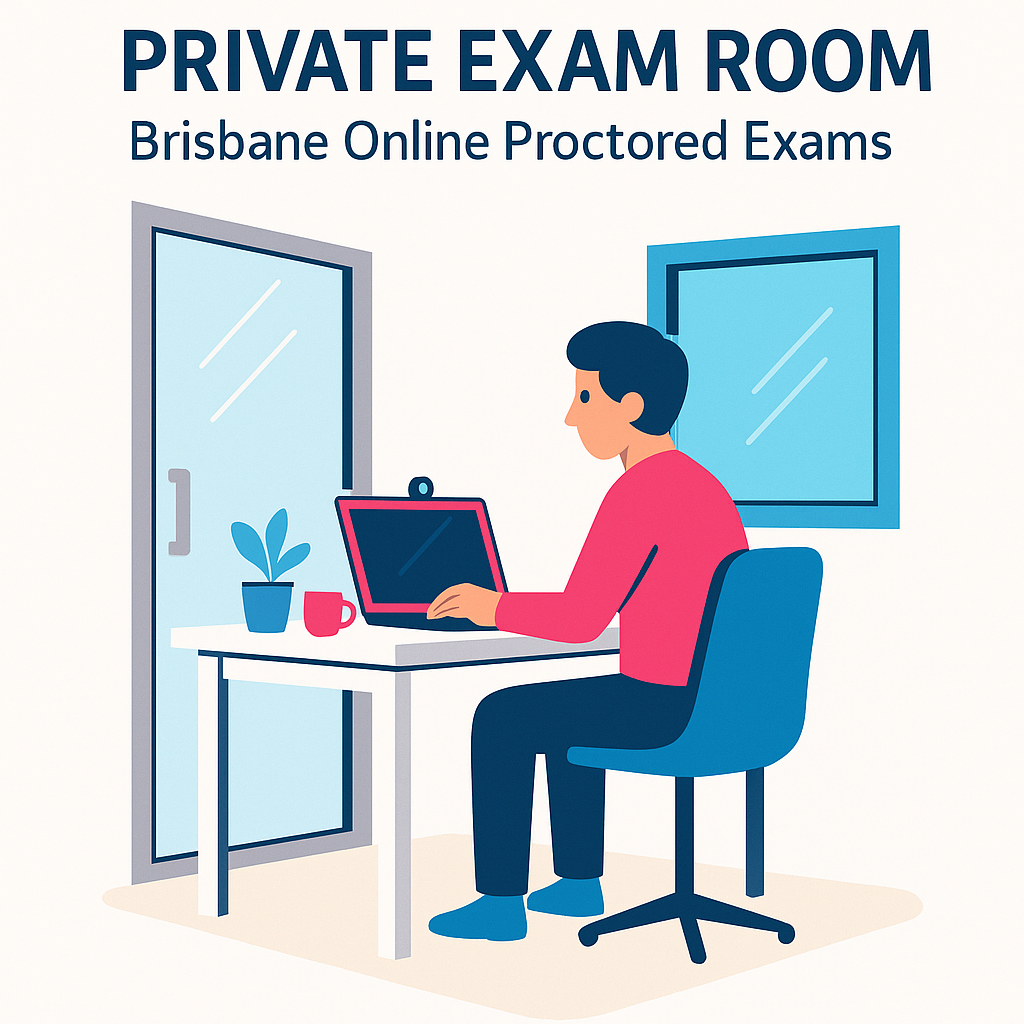
  • A single glass door with a solid frame (your webcam can be positioned to keep this door in view)
  • One external window facing the street (not an internal office window)
  • Solid internal walls on the remaining sides
  • A standard-height desk and comfortable chair
  • Power outlets for laptop and charger

The glass door and street-facing window make the room feel light and open, while still being quiet and private. If your exam instructions prefer less visibility, we can adjust blinds and your camera angle to minimise distractions and ensure no one is visible outside.

Noise & Privacy

  • The Pod is used as a one-person room during exams – you’ll be alone for the full session.
  • We manage bookings to keep noise around the Pod to a minimum.
  • You can wear headphones if your exam provider allows them.

Desk Setup

  • Clear desk surface for your laptop and any allowed exam materials
  • Minimal wall clutter – nothing directly in front of you with text or diagrams
  • Optional extra monitor can be removed if your exam rules require only one screen

Lighting & Internet

  • Bright, even lighting that works well on camera
  • Stable high-speed Wi-Fi suitable for long video calls
  • Option to bring your own mobile hotspot as a backup if you prefer

👉 Want to see if the Meeting Pod suits your exam rules? Send us your exam environment requirements and we’ll compare them for you.

Is a Room with a Glass Door and Window Acceptable for Proctored Exams?

This is one of the most common questions we get from people searching for a proctored exam room in Brisbane.

The Meeting Pod has:

  • One glass door opening into the coworking space
  • One window facing the street

Most online proctoring services are comfortable with this setup as long as:

  • No one else is visible through the glass for the duration of the exam
  • There is no communication in or out of the room
  • The proctor can clearly see your surroundings during the initial room scan

We help you do this by:

  • Booking the Pod so you are alone and undisturbed
  • Adjusting your seating position and camera angle so the proctor can see the door and general room
  • Using blinds/curtains (where available) if you or your exam rules prefer less visibility through the window

Ultimately, it is your responsibility to check your provider’s policy on glass doors and windows. If their rules state that the room must have only solid walls, please send those details to us first so we can confirm whether the Meeting Pod will be acceptable.

Step-by-Step: Using the Meeting Pod for Your Online Proctored Exam

  1. Check your exam rules.
    Look for sections titled “Room requirements”, “Environment guidelines” or “Remote proctored exam instructions”. Pay particular attention to any wording about glass doors, windows and extra screens.
  2. Book the Meeting Pod.
    Choose a timeslot that covers:
    • At least 30 minutes before your exam start time
    • The full exam duration
    • At least 30 minutes after your scheduled finish time
    This gives you enough time for ID checks, room scans, technical setup and any upload time at the end.

    Book the Meeting Pod for your online exam in New Farm
  3. Arrive early.
    We’ll show you to the Pod, connect you to Wi-Fi if needed, and answer any questions about the room layout.
  4. Set up your exam area.
    Place your laptop, charger and allowed materials on the desk. Remove any non-permitted items and position your webcam so that your face, desk and door are clearly visible.
  5. Connect to your proctor.
    Log into your exam portal, run the system checks and begin the room scan. Walk the webcam around the Pod so the proctor can see the glass door, window and surrounding area.
  6. Sit your exam.
    Once approved, you’ll complete the exam with a quiet, stable environment and no home distractions.
  7. Finish, upload and pack up.
    After submitting your exam, complete any exit steps, pack up your things and you’re done.

What Types of Online Proctored Exams Suit the Meeting Pod?

People have used the Salt Space Meeting Pod for a wide range of online exams, including:

  • University mid-semester and final exams (Australian and international universities)
  • Accounting and finance exams – CPA, CA and other professional pathways
  • Government and public service assessments
  • HR, recruitment and psychometric testing
  • IT certification exams and online training assessments

If you’re looking for “online exam room hire near Brisbane CBD” or “private room for proctored test New Farm”, the Meeting Pod offers a convenient, calm space just minutes from the city.

What to Bring on the Day

Every exam is different, but as a guide, consider bringing:

  • Your laptop and charger (some exams may require a wired mouse or external webcam)
  • Approved photo ID (e.g. driver’s licence or passport)
  • Headphones, if allowed by your exam rules
  • Any permitted note paper, pens or printed materials
  • A permitted calculator, if required
  • A water bottle (label-free, if your provider specifies this)
  • Your login details and confirmation email for the exam

Always follow your exam provider’s instructions first; they will state exactly what is and isn’t allowed in the room.

FAQs – Booking the Salt Space Meeting Pod for Online Exams

1. Is the glass door and window a problem for remote proctoring?

For most providers, a glass door and external window are acceptable as long as no one else is visible and there is no communication into the room. During the room scan, the proctor will check this. If your exam rules specifically ban glass walls or require completely solid walls, send the policy to us so we can confirm whether the Meeting Pod will be suitable.

2. How quiet is the Meeting Pod?

The Pod is used as a one-person meeting room and exam room. We manage bookings so that noise is kept low in nearby areas, and most people find it significantly quieter and more controlled than home environments.

3. Can I book a trial session before my real exam?

Yes. Many people like to book a shorter practice session to test their laptop, exam portal and proctoring software in the Pod. This can reduce stress on the real exam day.

4. How long should I book the room for?

We recommend booking:

  • Exam duration + at least 30 minutes before
  • Plus at least 30 minutes after

For example, for a 3-hour exam, many people book a 4–4.5 hour block to allow time for ID checks, delays and upload time.

5. Is the Wi-Fi strong enough for long video calls?

Yes, the Wi-Fi at Salt Space is suitable for video proctoring and extended online exams. You can also bring your own mobile hotspot if you’d like a backup connection.

6. How do I book the Meeting Pod for my online exam?

You can book online in just a few minutes.

👉 Book the Salt Space Meeting Pod for your online proctored exam in New Farm, Brisbane

If you’re not sure which time slot to choose or whether your exam rules are compatible with the Pod, get in touch with us and we’ll help you plan the best option.

Salt Space Coworking – New Farm
A calm, convenient base for your next online proctored exam in Brisbane.

How to Get an Australian Mailing Address with Mail Forwarding While You Live Overseas

Living overseas but still need an Australian address for bank statements, government letters, licence renewals, or personal mail? This guide explains how our Personal Mailing Address in Brisbane + Mail Forwarding helps Aussies overseas receive and manage their mail securely from anywhere in the world.

Need an Australian Mailing Address While You’re Living Overseas?

Set up a secure personal mailing address in New Farm, Brisbane – with email alerts, scanning, and optional mail forwarding to your overseas address.

Set Up Personal Mailing Address

Why Australians Living Overseas Still Need an Australian Mailing Address

Even when you’ve moved to another country, there are plenty of reasons you still need an address back home:

  • Renewing a driver licence or updating ID details with your state transport department
  • Receiving bank and credit card mail (e.g. CommBank, NAB, Westpac)
  • Letters from super funds, insurers, or government agencies
  • Personal mail from family, online orders, or important documents that can’t be emailed

If you don’t have a home base in Australia, it can be stressful asking family or friends to handle all this for you. A personal mailing address gives you a stable, secure address in Brisbane – without relying on anyone else’s letterbox.

What Is a Personal Mailing Address in Brisbane?

Salt Space Coworking in New Farm offers a Personal Mailing Address service designed for individuals (not businesses). You receive a real street address in Brisbane where your personal mail and parcels can be sent, safely received, and held for you.

Included in your $25/month Personal Mailing Address:

  • A real Brisbane street address (New Farm, QLD 4005)
  • Mail & parcel reception from Australia Post and standard couriers
  • Email alerts for every item received (often with a photo)
  • Secure storage of your mail and parcels on-site
  • Mail receipt for up to 4 names (primary contact + 3)
  • Up to 5 items scanned and emailed to you each month on request

👉 Full details: Personal Mailing Address – Salt Space

Important: This service is for personal mail only and cannot be used for business registration or Google Business listings. For business use, please see our Virtual Office membership.

How Our Australian Mailing Address Works When You Live Overseas

  1. Set up your personal mailing address online.
    Complete our quick form and we’ll send you an invoice. Once paid, you’ll receive a written “permission to use address” authorisation so you can update your details with banks, government, and other senders.
  2. Update your address with banks and agencies.
    Use your new New Farm address for personal mail such as bank accounts, driver licence renewal, super funds, and other correspondence.
  3. We receive your mail at Salt Space.
    Mail and parcels arrive at our secure mailbox or reception. We log each item and store it safely in our office.
  4. You get an email alert.
    We email you (usually with a photo) so you know exactly what has arrived and who it’s from.
  5. Choose what happens next.
    You can ask us to:
    • Scan & email the contents (great for letters and statements), or
    • Forward your mail to your address overseas using our Mail Forwarding Credits add-on, or
    • Hold it safely until you’re next in Brisbane.

Mail Forwarding from Brisbane to Overseas (Flexible Credits System)

If you’re living in another country, you probably don’t want everything physically posted – but some items do need to reach you. That’s where our Mail Forwarding Credits add-on helps.

How Mail Forwarding Credits Work

  • You purchase prepaid credits (e.g. $15, $30, $50)
  • When mail arrives, we email you a photo and you reply with “please forward”
  • We forward your mail on the next business day
  • From your credits we deduct:
    • $10 service fee per forwarding trip (covers handling up to 1kg), plus
    • Postage/courier charges at cost (Australia Post or chosen courier)
  • We can forward within Australia and internationally

Full details & form: Mail Forwarding Credits – Salt Space

Who Is This Australian Mailing Address with Mail Forwarding Ideal For?

This service is perfect for:

  • 🇦🇺 Australians living overseas long-term who still need an address back home
  • ✈️ Digital nomads and remote workers moving between countries
  • 🎓 Students on exchange or working holidays who still receive Australian mail
  • 👨‍👩‍👧 People who don’t want to burden family with handling all their mail
  • 🏠 Australians between addresses (e.g. travelling while renting out their home)
  • 💌 Anyone who wants a stable, private postal address in Brisbane while they’re abroad

Why Not Just Use a PO Box in Australia?

A traditional PO Box can work for some people, but for Aussies living overseas it often isn’t practical:

  • Most PO Boxes can’t accept courier deliveries (DHL, FedEx, Toll, etc.)
  • You generally need to visit in person to clear the box regularly
  • They don’t include scanning, photos, or flexible forwarding by default

Our Brisbane Personal Mailing Address gives you a real street address in New Farm, accepts couriers, and includes email notifications, optional scanning, and on-request forwarding – everything you need if you’re managing your life from overseas.

Get Started in 3 Simple Steps

  1. Set up your Personal Mailing Address using our quick online form.
  2. Update your address with banks, super funds, government departments, or personal contacts.
  3. Choose how you want your mail handled – scan & email, hold for collection, or forward using credits.

FAQs – Australian Mailing Address & Mail Forwarding for People Living Overseas

Yes. You can complete the online form, receive your invoice by email, and pay from overseas. Once payment is received, we’ll send you written permission to use our address, so you can update your details with banks, government departments, and other senders.

In most cases, yes – as long as it is for personal mail. Many members use this address for:

  • Driver licence renewals and transport department mail
  • Bank and credit card letters
  • Superannuation, insurance, and personal documentation

We always recommend confirming any specific address rules with your bank or government department if you’re unsure.

Yes. Our Mail Forwarding Credits add-on can be used for domestic or international forwarding. We deduct a $10 service fee per forwarding trip (for up to 1kg of items) plus postage or courier charges at cost from your credit balance.

You don’t need to forward everything. Your Personal Mailing Address includes up to 5 items scanned and emailed each month on request. For many customers, this covers most letters and statements, and they only forward the occasional item that needs to be physically in their hands.

No. This is a personal mailing address service only and must not be used for business registration, company mail, or Google Business listings. If you need a professional business address, please see our Virtual Office membership .

We securely store your mail for up to one month as standard. If you’re overseas for longer, you can request scanning or forwarding instead, or contact us to discuss your situation.

The Personal Mailing Address is $25 per month for your Australian address, notifications, secure storage and scanning (up to 5 items per month). If you add Mail Forwarding Credits, forwarding trips are charged at $10 service fee per trip + postage/courier costs, deducted from your credits.

Still Overseas and Not Sure If This Will Work for You?

If you have a specific situation (e.g. certain government mail or a unique country destination), feel free to get in touch and ask. We’re happy to clarify what’s possible before you sign up.

Phone: (07) 3063 7264
Email (Preferred): work@saltspace.com.au
Address: Level 1, 888 Brunswick St, New Farm QLD 4005

How to Change Your Business Address on ASIC & ABN (Step-by-Step Guide for 2025)

Updated October 2025 | By Salt Space Coworking – New Farm, Brisbane

If you’ve recently moved, rebranded, or upgraded to a Virtual Office in Brisbane, you’ll need to update your business address on the ASIC and ABN registers.

Failing to update these details can lead to missed mail, non-compliance penalties, and mismatched information that can confuse Google or your clients. This step-by-step guide explains exactly how to change your registered business address — and how to make sure your updates are accepted the first time.

⚖️ Why It’s Important to Keep Your ASIC and ABN Address Updated

Both ASIC (Australian Securities & Investments Commission) and the Australian Business Register (ABR) require you to maintain an accurate business address. This ensures your company is contactable for:

  • 📄 Legal notices and compliance letters.
  • 💼 Business name renewals and ASIC invoices.
  • 💰 ATO and government correspondence.
  • 🔍 Public record visibility (your address appears on ASIC’s online register).

If you’re currently using a home address, remember that it becomes publicly visible. A Virtual Office gives you a professional Brisbane address that meets all ASIC and ABN requirements while protecting your privacy.

🏢 How to Update Your Address with ASIC

If your business is registered with ASIC, you can update your address online through the ASIC Connect portal. Here’s how:

  1. Go to asic.gov.au and click “Log in to ASIC Connect”.
  2. Log in using your ASIC Connect account details.
  3. Select your business name or company from the dashboard.
  4. Choose “Change address” under the transaction options.
  5. Enter your new address exactly as shown on your permission document (for Salt Space members, this includes your unique office number).
  6. Review and confirm your changes.
  7. Submit — ASIC updates are usually processed immediately.

Tip: If your business name is registered to an individual, you’ll need to update both your principal place of business and service of documents address.

📝 How to Update Your Address with the ABN Register

For the Australian Business Number (ABN), you’ll need to use the Australian Business Register (ABR) website or your myGovID account.

  1. Go to the Australian Business Register.
  2. Select “Update your ABN details”.
  3. Log in using your myGovID or AUSkey credentials.
  4. Locate your business name and select “Update address details.”
  5. Enter your new business address (use the same address shown on your Virtual Office permission letter).
  6. Submit your changes — updates usually appear on ABN Lookup within 24 hours.

Remember: the ABR must show a physical address, not a PO Box. Salt Space provides a real Brisbane street address with written consent for use on ASIC, ABN, and IP Australia registrations.

🔗 Keep Your Address Consistent Everywhere

After you’ve updated your ASIC and ABN records, make sure to change your address anywhere else it appears:

  • Google Business Profile (with video verification support at Salt Space)
  • Your website and contact page
  • Invoices, packaging, and email signatures
  • Social media profiles
  • ATO, bank accounts, and insurance providers

Consistency across all platforms helps Google confirm that your business is legitimate and improves your local SEO ranking.

📍 Using Salt Space’s Virtual Office for ASIC & ABN Updates

When you sign up for a Virtual Office at Salt Space, you receive:

  • ✅ A unique Brisbane office number.
  • ✅ Written consent to use our address for ASIC, ABN, and IP Australia.
  • ✅ Mail notifications and scanning.
  • Google Business video verification support (included free).

Our address format is provided on your permission letter and looks like this:

Your Business Name
Office #123
Level 1, 888 Brunswick Street
New Farm QLD 4005

Once you’ve updated your records, all mail addressed to your business name will be received at Salt Space and securely stored or scanned for you.

FAQs – Changing Your Business Address

Do I need to update both ASIC and ABN?

Yes. These are separate systems — ASIC controls business name records, while ABN details are managed by the Australian Business Register. Always update both.

Can I use a PO Box for ASIC or ABN?

No. Both ASIC and the ABR require a physical street address for your principal place of business. Salt Space’s Virtual Office provides written consent for use on both.

How long does it take for updates to appear?

ASIC changes are immediate, while ABN updates usually appear on the public register within 24 hours.

What if I also need to update my Google Business Profile?

Salt Space’s Virtual Office membership includes video verification support to help you update your Google Business listing quickly and correctly.

Get a Professional Brisbane Address for ASIC, ABN & Google

Protect your privacy, stay compliant, and appear on Google Maps — all with Salt Space’s Virtual Office in New Farm.

Set Up My Virtual Office

Salt Space Coworking | Level 1, 888 Brunswick St, New Farm QLD 4005 | (07) 3063 7264 | work@saltspace.com.au

Why a Virtual Office in New Farm Helps Your Local SEO

Why a Virtual Office in New Farm Helps Your Local SEO

Updated October 2025 | By Salt Space Coworking – New Farm, Brisbane

If you want your business to show up on Google Maps or in the “Businesses near me” section of search results, you need a local presence Google can verify. But what if you work remotely or don’t want to use your home address?

This is where a Virtual Office in New Farm comes in. It gives your business a real Brisbane street address that boosts trust, enhances local SEO, and helps you appear in Google’s local results — even if you don’t work from a physical office every day.

📍 What Is Local SEO and Why Does It Matter?

Local SEO (Search Engine Optimisation) is how Google decides which businesses appear when people search for things like:

  • “Accountant near me”
  • “Property manager New Farm”
  • “Virtual office Brisbane”

It’s not just about having a website — Google looks for proof that your business exists in a real location and serves customers nearby. Having a verified business address plays a major role in that ranking process.

🏢 How Your Business Address Impacts Local SEO

Google gives higher visibility to businesses with a verifiable street address. Here’s why it matters:

  • 📍 Google Business Profile Verification: A legitimate, staffed address allows you to verify your business and appear on Maps.
  • 🗺️ Local Proximity: Google ranks listings closer to the searcher’s location higher in local results.
  • 🏷️ Consistency Across Platforms: Matching your address on ASIC, ABN, website, and Google builds credibility.
  • 💬 Trust with Clients: Customers are more likely to contact a business that lists a physical Brisbane location.

If you use a home address or PO Box, you’re unlikely to appear in local search results — or worse, your listing may be suspended. A Virtual Office at Salt Space gives you the address consistency and legitimacy that Google loves.

🌆 Why New Farm Is the Perfect Location for Your Business Address

New Farm is one of Brisbane’s most trusted and recognisable business hubs — positioned just outside the CBD but close enough to attract clients from across the inner city. Using a New Farm business address signals that you’re professional, local, and established.

  • 🚀 Central Brisbane location for stronger “near me” rankings.
  • ☕ Surrounded by professional services, creative studios, and consulting firms.
  • 🏢 Prestigious address: Level 1, 888 Brunswick St, New Farm QLD 4005.
  • 📈 Great visibility on Google Maps when customers search nearby.

Because Salt Space’s address is a staffed physical location, it meets Google’s verification requirements — something virtual mailbox providers can’t offer.

🎥 On-Site Google Business Video Verification Support

Google often requires video verification to confirm your business actually operates at the address listed. Salt Space includes hands-on video verification support with every Virtual Office plan:

  • ✅ Guidance on what to film for Google’s criteria.
  • ✅ Pre-set signage and workspace setup for verification videos.
  • ✅ Assistance from staff during your recording appointment.
  • ✅ Free re-verification if Google requests another video.

Learn more about this process in our blog How Google Business Video Verification Works (and How Salt Space Helps You Pass It).

📈 The Local SEO Benefits of a Virtual Office

When you combine a professional address, Google verification, and consistent contact details across your online profiles, your business gains measurable SEO benefits:

  • 🌟 Improved Google Map Pack visibility (“Top 3” local results)
  • 🔍 Higher credibility with clients searching your business name
  • 🧭 Better ranking for location-based searches like “Brisbane virtual office”
  • 📬 Greater trust from potential partners and suppliers

Even if you don’t need physical workspace, a Virtual Office can dramatically improve how often your business appears in local search — making it one of the best low-cost marketing tools available.

FAQs – Virtual Offices and Local SEO

Will a virtual office help my business rank on Google? +

Yes — Google prioritises verified local businesses. A staffed virtual office address like Salt Space’s gives your business a legitimate local presence that supports SEO rankings.

Can Google tell if my address is a PO Box or mailbox? +

Yes. Google cross-checks address data and rejects listings that aren’t tied to physical, staffed locations. Salt Space’s New Farm address fully meets Google’s verification criteria.

Is a New Farm address better for SEO than other suburbs? +

Being close to Brisbane’s CBD means your listing ranks better in searches across the inner city. “New Farm” is recognised by Google as part of Brisbane’s high-density local business area.

How long does it take to appear on Google Maps? +

Once your business is verified with the correct address and category, you’ll typically appear on Maps within 24–48 hours.

Boost Your Local SEO with a Verified New Farm Address

Appear on Google Maps, improve search rankings, and protect your privacy — all with Salt Space’s Virtual Office in Brisbane.

Set Up My New Farm Virtual Office

Salt Space Coworking | Level 1, 888 Brunswick St, New Farm QLD 4005 | (07) 3063 7264 | work@saltspace.com.au

Virtual Office vs PO Box vs Home Address — Which One Can You Use for Business?

Updated October 2025 | By Salt Space Coworking – New Farm, Brisbane

If you’re setting up a new business, one of the first practical questions is: what address should I use? Should it be your home, a PO Box, or a Virtual Office?

It might seem like a small detail, but your choice affects legal compliance, brand image, mail handling, and even your visibility on Google Maps. In this guide, we’ll compare the three most common options — Home Address, PO Box, and Virtual Office — so you can choose what’s best for your business in Brisbane.

For context, we’ll also reference our related blogs: Can I Use My Home Address for ASIC or Google Business? and How Google Business Video Verification Works (and How Salt Space Helps You Pass It).

🏠 Option 1: Using Your Home Address

Many small business owners start here because it’s simple — it’s your address, so you already have access and don’t pay extra rent. But there are serious downsides:

  • ⚠️ Privacy risk: ASIC and ABN listings are public. Anyone can look up your home address online.
  • Google may reject your address: Residential properties often fail Google Business video verification.
  • 🚫 Unprofessional appearance: Apartment or suburban street addresses can look less credible on invoices and websites.

Read more about the risks in our blog Can I Use My Home Address for ASIC or Google Business?.

📮 Option 2: Using a PO Box

A PO Box can feel like a good middle ground — private, secure, and separate from home. But legally, it doesn’t qualify as a business address for most registrations or verifications.

  • ⚖️ ASIC & ABN: You cannot use a PO Box as your Principal Place of Business. It’s only accepted as a mailing address.
  • Google Business: Google automatically rejects PO Boxes, parcel lockers, and virtual mailboxes with no staffed presence.
  • 📦 Mail pickup only: No scanning, forwarding, or verification support.

In short, a PO Box protects your privacy but fails the legal and verification requirements for most businesses. That’s where a Virtual Office bridges the gap perfectly.

🏢 Option 3: Using a Virtual Office

A Virtual Office is a legitimate street address you can use for ASIC, ABN, Google Business, and client communication — without renting an office physically. It’s a real location staffed during business hours and fully compliant with government and platform requirements.

At Salt Space Coworking in New Farm, our Virtual Office service includes:

  • ✅ ASIC & ABN registration permission document.
  • On-site Google Business video verification support.
  • ✅ Mail scanning and collection with email alerts.
  • ✅ Real Brisbane street address (Level 1, 888 Brunswick St).
  • ✅ Same-day setup and no lock-in contracts.

It’s the most versatile and professional option for businesses that want credibility, compliance, and privacy — all in one.

📊 Comparison Table: Which Address Can You Use?

Feature Home Address PO Box Virtual Office (Salt Space)
ASIC & ABN Use ✅ Allowed but public ❌ Mailing only ✅ Fully compliant
Google Business Verification ⚠️ Often fails ❌ Not accepted ✅ Video verification support included
Professional Image 🏠 Residential 📮 Neutral 🏢 Commercial, central Brisbane
Mail Handling 📬 Basic 📦 Pickup only 📧 Scan + email alerts + pickup

🏁 Which One Should You Choose? +

If you need your address to appear on ASIC, ABN, and Google Business — and you care about professionalism — a Virtual Office is the clear winner. It’s compliant, searchable, private, and helps your Google visibility.

Still unsure which address type you currently have registered? Read our guide on How to Change Your Business Address on ASIC & ABN for step-by-step help.

FAQs – Choosing the Right Business Address

Can I use a PO Box for ASIC registration? +

No. ASIC requires a physical business address for your Principal Place of Business. A PO Box can only be used for mail correspondence.

Is a Virtual Office legal for business use? +

Yes. Salt Space provides written consent to use our address for ASIC, ABN, and IP Australia registrations. It’s 100% compliant.

Will Google accept my PO Box address? +

No. Google only verifies physical locations that can be filmed during video verification. A PO Box or mailbox will always be rejected.

How fast can I switch from my current address? +

Within 24 hours. Once you sign up for a Virtual Office, we send you your permission documents so you can update your ASIC and ABN records immediately.

Salt Space Coworking | Level 1, 888 Brunswick St, New Farm QLD 4005 | (07) 3063 7264 | work@saltspace.com.au

How Google Business Video Verification Works (and How Salt Space Helps You Pass It)

Updated October 2025 | By Salt Space Coworking – New Farm, Brisbane

If you’ve tried to set up your Google Business Profile recently, you might have discovered that Google now requires a video verification — and it’s not always simple. Many small businesses get stuck or rejected because their address looks residential, or their video doesn’t meet Google’s requirements.

That’s why Salt Space Coworking offers Google Business Verification Video Support as part of our Virtual Office service. We provide the location, signage, and guidance you need to record a compliant video that gets your Brisbane business verified — fast.

🎥 Why Google Business Now Requires Video Verification

Google introduced the video verification process to confirm that every listed business actually operates at the address shown on Maps. This change helps reduce fake listings, but it also means more business owners struggle to verify when:

  • They work from home and don’t want to show their residential property.
  • They use a PO Box or mailbox service, which Google doesn’t accept.
  • They don’t have signage or an accessible workspace visible on video.

That’s where Salt Space comes in. Our staffed New Farm address gives you a real business location Google can verify — and our team helps you meet every requirement before you hit record.

🔧 How Google Business Video Verification Works (Step by Step)

  1. Log in to your Google Business Profile and choose “Verify by Video”.
  2. Show your business location: Walk around the workspace and film the street signage or reception area.
  3. Show proof of operation: Capture your tools, computer setup, or branding that proves your business operates there.
  4. Show business branding: Film your logo, business card, or website open on a device.
  5. Submit the video: Google reviews it, usually within 24–48 hours.

For many home-based businesses, this process isn’t possible — but with a Virtual Office at Salt Space, you can film directly in our coworking environment with approved signage and staff support.

⭐ How Salt Space Helps You Pass Google Video Verification

Our Google Business Verification Video Support is included with every Virtual Office membership. Here’s how it works:

  • 📋 We provide a verification guide: You’ll receive our exclusive checklist explaining exactly what to show and say in your video.
  • 🏢 We prepare a verification desk: Our staff sets up signage, workspace, and printed materials that clearly identify your business.
  • 🤝 We assist during filming: You can book a short session where our team helps you meet all Google requirements before submission.
  • 🔁 We support re-verification: If Google requests a new video, we’ll help you record again — at no extra charge.

This hands-on process has helped hundreds of Brisbane businesses successfully appear on Google Maps without revealing their home address.

🏠 Why a Home Address Usually Fails Google Verification

Even if you run a legitimate business from home, Google may flag your address as residential and reject your verification. Common reasons include:

  • 🚫 No visible signage or proof of business activity.
  • 🚫 Apartment complexes or gated properties.
  • 🚫 Inconsistent address details across ASIC, ABN, and Google.

Using a verified Virtual Office address in New Farm avoids all of these issues. You’ll get a real street address for ASIC, ABN, and Google — and hands-on help with the video verification process.

FAQs – Google Business Verification Video

What if my business doesn’t have signage? +

That’s fine. At Salt Space, we prepare branded signage and workspace identifiers so your Google video shows a legitimate business environment.

Can I film the video myself? +

Yes. You can use your phone or laptop. Our guide walks you through every step — and you can record on site in our coworking space if you prefer staff assistance.

How long does verification take? +

Google usually reviews videos within 24–48 hours. Once approved, your business appears on Google Maps and search instantly.

Can I use this service if I’m based interstate? +

Yes. Many remote and interstate businesses use our Brisbane Virtual Office. You can visit for in-person filming or get remote verification guidance from our team.

Get Verified on Google with Salt Space

Professional Brisbane street address + on-site Google Business Video Verification Support included.

Set Up My Verified Virtual Office

Salt Space Coworking | Level 1, 888 Brunswick St, New Farm QLD 4005 | (07) 3063 7264 | work@saltspace.com.au

Can I Use My Home Address for ASIC or Google Business?

Updated October 2025 | By Salt Space Coworking – New Farm, Brisbane

When you register a business in Australia, one of the first questions you’ll face is: can I just use my home address? On the surface, it seems convenient — no extra cost, no paperwork. But using your home address for ASIC or Google Business can lead to privacy issues, compliance problems, and missed opportunities to grow your brand professionally.

In this article, we’ll explain what happens when you use your home address publicly, what the Australian Business Register (ABR) and Google actually require, and the smarter alternative that keeps your home private: a Virtual Office in Brisbane.

🏛️ Can I Use My Home Address on ASIC?

Yes — but it’s not always wise. When you register your business with ASIC, your Principal Place of Business must be a real, physical location in Australia. ASIC then makes that address publicly searchable on its company register. This means:

  • 🔍 Anyone can search your business name and see your residential address.
  • 📬 Your home may start receiving business mail, invoices, and even unsolicited visits.
  • ⚖️ You must provide written consent from the property owner if you use an address that isn’t yours.

If you’re a sole trader or company director working from home, this instantly makes your personal location public. That’s why thousands of Australian business owners now use a professional Virtual Office address that complies with ASIC’s requirements — without disclosing their home.

📍 Can I Use My Home Address for Google Business?

Technically yes, but in practice it’s risky. Google requires a verifiable business address where you either serve customers or operate a legitimate business. Home addresses can trigger problems such as:

  • Verification failure: Google often rejects home addresses during its review or video verification process.
  • 🚫 Profile suspension: If customers complain or Google detects a residential property, your listing may be removed.
  • 💡 SEO disadvantage: Without a legitimate business address, you won’t appear on local search results or Google Maps.

That’s why many Brisbane businesses use Salt Space’s Virtual Office service, which includes on-site Google Business Video Verification support — signage, setup desk, and a step-by-step filming guide to help you get approved on the first try.

🔒 The Privacy Problem With Using Your Home Address

In today’s digital world, your business address appears almost everywhere: ASIC, ABN Lookup, your website, social media, invoices, and email signatures. Using your home address means exposing your personal location across all of these platforms. That can lead to:

  • 📮 Unsolicited marketing mail or doorstep deliveries
  • 👀 Clients showing up at your home unannounced
  • 🔓 Personal safety concerns and loss of privacy

A professional Virtual Office in New Farm solves this instantly — giving you a Brisbane street address that appears on all your business records while your real home address stays private.

✅ The Benefits of Using a Virtual Office Instead

  • 🏢 Meets ASIC & ABN requirements — you receive a “permission to use address” document.
  • 📍 Google verification supported — our team helps you complete your Google Business video verification on site.
  • 📬 Mail scanning & pickup — stay updated by email when items arrive.
  • 🤝 Professional first impression — look established to clients and partners.
  • 🅿️ Free parking — easy collection at our New Farm coworking space.

With plans starting from $40/month and no lock-ins, it’s the most affordable and legitimate way to protect your home and build your Brisbane business presence.

🏠 Home Address vs Virtual Office — Key Differences

Feature Home Address Virtual Office (Salt Space)
ASIC Registration ✅ Allowed, but public record ✅ Compliant, privacy protected
Google Business Listing ❌ May fail verification ✅ Verified on site with video support
Professional Image 🏠 Residential address on records 🏢 Level 1, 888 Brunswick St, New Farm
Mail Handling 📬 Personal letterbox only 📦 Email notifications & secure pickup

FAQs – Using Your Home Address for Business

Can I use my home address for ASIC registration? +

Yes, but your address will appear publicly on the ASIC register. A Virtual Office gives you the same compliance with added privacy and professionalism.

What happens if I use my home address for Google Business? +

Google may reject or suspend listings that appear residential. Salt Space offers on-site video verification assistance to help your business meet Google’s requirements.

Do I need permission to use a Virtual Office address? +

Yes. When you sign up, you’ll receive a “permission to use address” letter — required by ASIC, ABN, and IP Australia for business registrations.

Can I change my ASIC address later? +

Absolutely. You can update your address with ASIC and ABN at any time. Read our upcoming guide: How to Change Your Business Address on ASIC & ABN.

Protect Your Privacy and Verify Your Business Professionally

Professional Brisbane street address for ASIC, ABN & Google. On-site video verification support included.

Set Up My Virtual Office

Salt Space Coworking | Level 1, 888 Brunswick St, New Farm QLD 4005 | (07) 3063 7264 | work@saltspace.com.au

✈️ Travelling to Brisbane? How to Receive Mail & Packages While You’re Away

When you’re travelling, one of the biggest hassles can be receiving important mail or packages while you’re not at home. Maybe you’ve ordered a dress for a wedding, a work package for a conference, or you just need a safe place to receive personal mail while on holiday.

That’s where Salt Space Coworking’s Personal Mailing Address in New Farm, Brisbane comes in. We provide a secure street address where your mail and parcels can be sent ahead of your trip — ready for you to collect when you arrive.

No more worrying about missed deliveries, parcels stuck at the post office, or packages sitting on your doorstep while you’re away.

💍 Wedding Guests & Bridal Parties

Travelling for a wedding and worried your outfit or gifts won’t make it in time? Our secure New Farm address lets you have them shipped ahead so they’re ready for pickup as soon as you arrive.

  • Send your wedding dress to Brisbane before you travel.
  • Arrange wedding guest parcel collection at a safe address.
  • Use a secure mailing address for gifts and accessories.
  • Collect your wedding package on arrival in Brisbane without stress.

👔 Conferences & Business Trips

Business travellers often need a reliable address for brochures, event gear, or tech ordered last minute. Pair our address with our Printing Service for a smooth conference experience.

  • Set up mail delivery for conference attendees in Brisbane.
  • Use a temporary mailing address for business travel.
  • Enjoy secure parcel collection near the CBD.
  • Ship work packages directly to Brisbane ahead of time.

🏖️ Holidaymakers

On holiday and don’t want to lug extra items? Order gear online or send documents to our address and collect them when you arrive in Brisbane.

  • Receive packages safely while on holiday in Brisbane.
  • Use our holiday parcel collection service for peace of mind.
  • Choose a temporary mailing address for travellers.
  • Direct online orders to a Brisbane pickup point.

🎓 International Students Arriving in Brisbane

Moving to Brisbane for study? Arrange deliveries before you arrive so essentials are ready for pickup. Families can also send care packages securely.

  • Get a mailing address for international students in Brisbane.
  • Receive textbooks and supplies before moving in.
  • Rely on a secure address for student mail.
  • Pick up care packages safely when you land.

🌏 Expats & Visitors

Expats and family visitors often need a trusted local address for important letters, prescriptions, or parcels. Add Mail Forwarding if you can’t collect in person.

  • Use a mail collection service for visitors in Brisbane.
  • Set up a personal mailing address for expats.
  • Choose a temporary mailbox service while travelling.
  • Safely receive mail from overseas during your stay.

🎭 Performers, Artists & Tour Groups

Touring artists can ship costumes, props, or merchandise ahead of their show. Our secure address ensures everything is ready for collection before your performance.

  • Arrange a mailing address for touring artists in Brisbane.
  • Send costumes or props ahead of your arrival.
  • Use our service for musician parcel collection.
  • Choose a temporary address for performers.

🚚 People Relocating to Brisbane

If your new home isn’t ready yet, use our address as a stopgap. We’ll hold your mail until you’re settled, and you can add Mail Forwarding if needed.

  • Secure a temporary mailing address while moving in Brisbane.
  • Access mail service before your new home is available.
  • Benefit from safe holding for relocation mail.
  • Use a stopgap mailing address during transition.

🚢 Cruise Passengers & Long-Term Travellers

Cruise passengers and long-term travellers often need a reliable place to receive documents or parcels during their trip. With forwarding options, nothing gets missed.

  • Book mail collection for cruise passengers in Brisbane.
  • Receive travel documents securely while on the move.
  • Choose a temporary mailbox near Brisbane port.
  • Keep a safe mailing address for long-term travel.

Why Choose Salt Space’s Personal Mailing Address?

  • A real street address (Level 1, 888 Brunswick St, New Farm)
  • Courier parcel deliveries accepted (Australia Post, DHL, FedEx, Toll, etc.)
  • Email notifications when your mail arrives
  • Secure storage until you collect it
  • Convenient staffed hours for pickup (Mon–Fri, 8am–5pm)
  • Friendly, boutique coworking space with free street parking nearby

This makes us the best option for anyone searching for a PO Box alternative in Brisbane, temporary parcel collection, or a personal mailing address near New Farm, Teneriffe, or Newstead.

How It Works

  1. Sign up online – just $25 per month.
  2. Receive our address authorisation so you can start using it right away.
  3. Order your package or redirect your mail to your new Brisbane address.
  4. We notify you by email when it arrives.
  5. Collect your mail in person when you get to Brisbane.

Need extra flexibility? Try our Mail Forwarding or scanning add-ons if you can’t make it in right away.

Pricing – Simple & Affordable

📦 $25 per month

  • Mail & parcel delivery address
  • Up to 4 names covered under one subscription
  • Email alerts for every item
  • Secure storage for 1 month

Optional add-ons:

Pick Up Your Packages With Peace of Mind

Whether you’re flying in for a wedding, conference, or holiday, Salt Space Coworking makes sure your mail is safe and waiting for you in Brisbane.

📍 Find us at:
Level 1, 888 Brunswick Street,
New Farm, Brisbane QLD 4005